Setting Up Your Tax Rates
LawnPro gives you a few different ways to set up and apply tax rates depending on how your business handles taxes. Here are the two places you can set them up:
In Your Main Settings
Setting up your tax rates in your main settings is a great first step. This is where you can set your default tax rates for your account. These tax rates will be applied to all invoices, unless you override them on a customer’s property profile which is explained below.
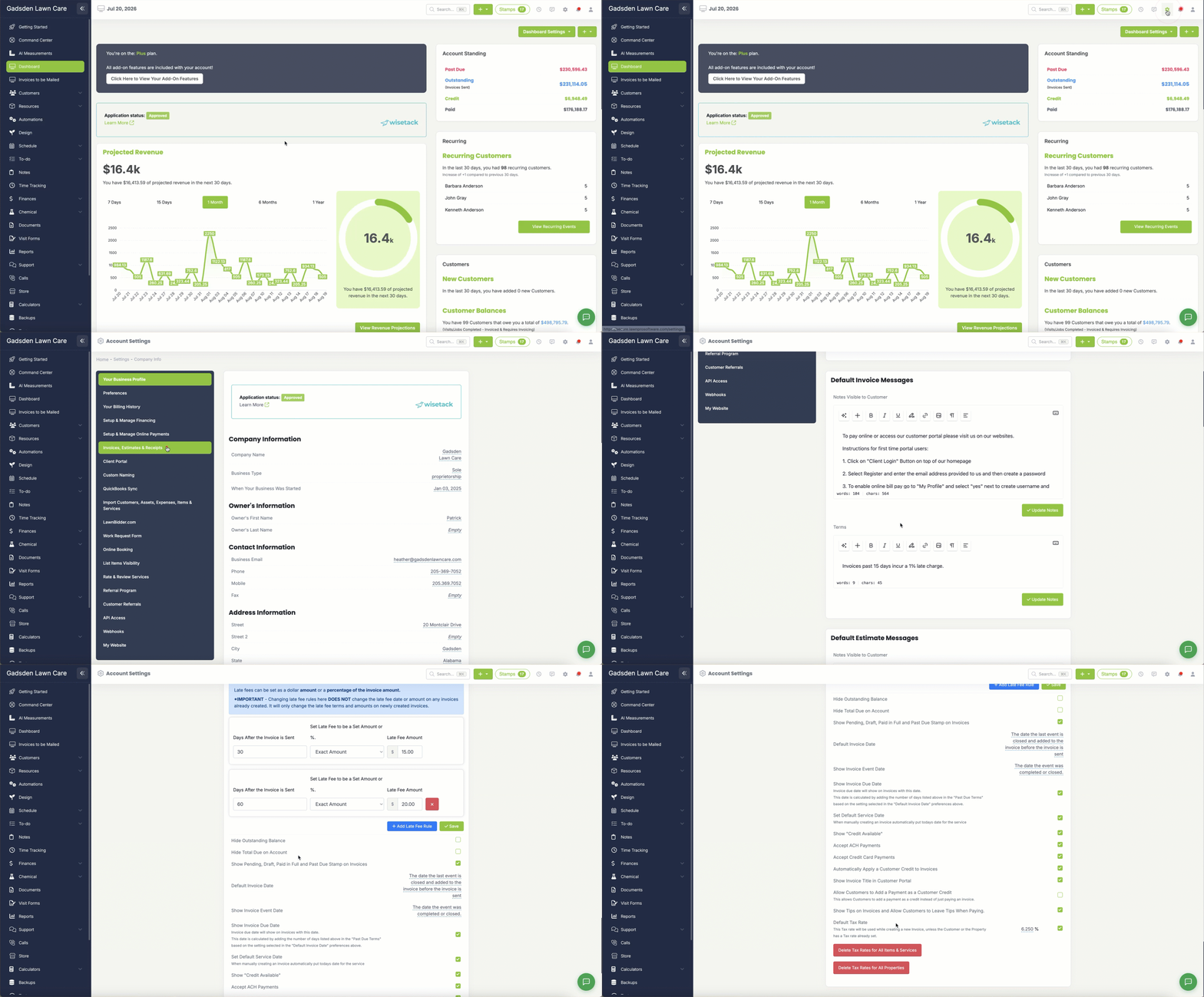
To set up your tax rates go to Settings → Invoice, estimates, and receipts and at the bottom of the page, you will see a field to add your default tax rate.
On a Customer’s Property
You can assign a specific tax rate to a customer’s property so that the correct rate is automatically applied every time you invoice for that property. These tax rates will override the rates you have set under your main settings.
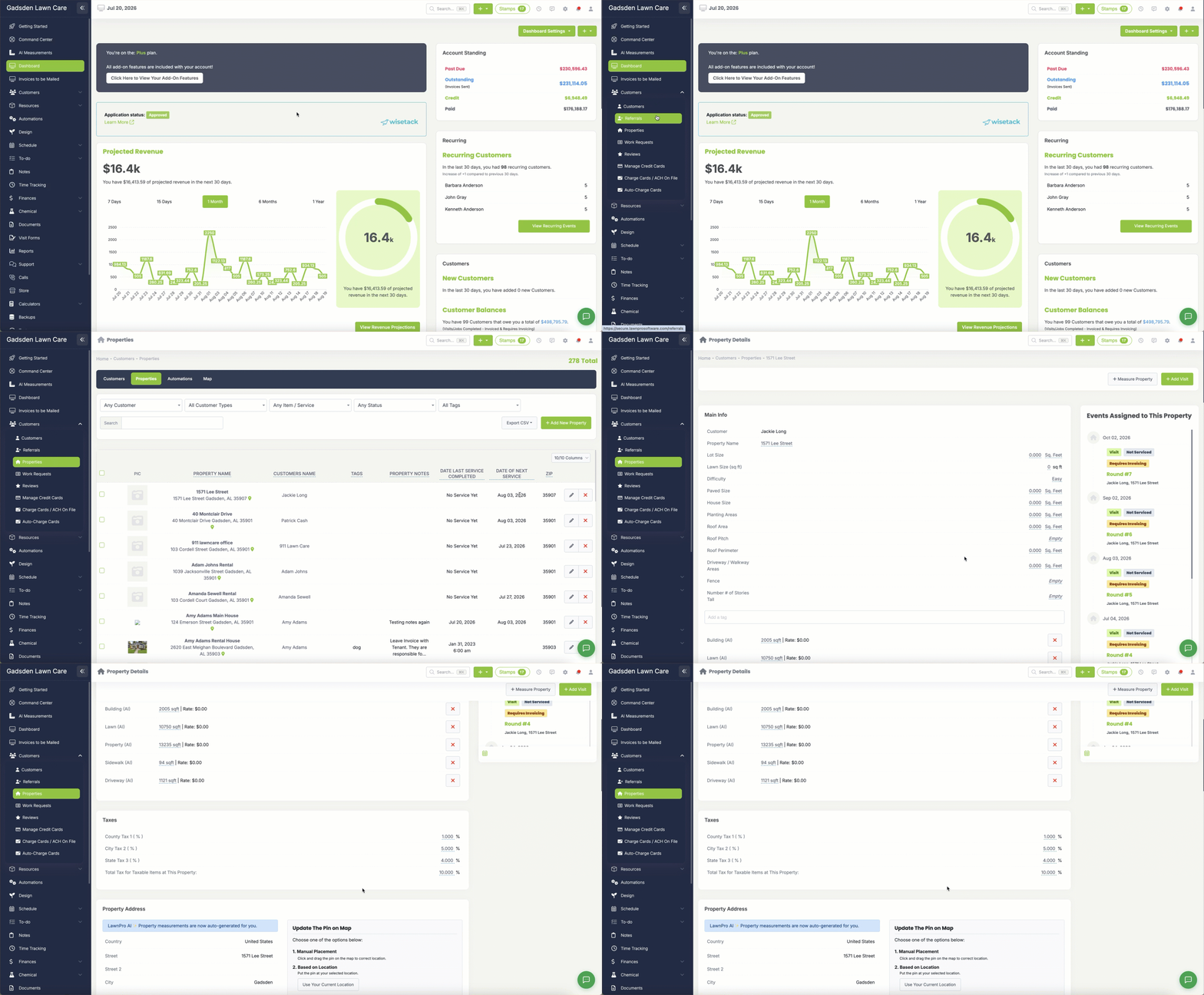
To assign a tax rate to an existing property- go to the Customer tab>properties , search for the property and click the pencil button. You will see fields for city, county, and state tax rates.
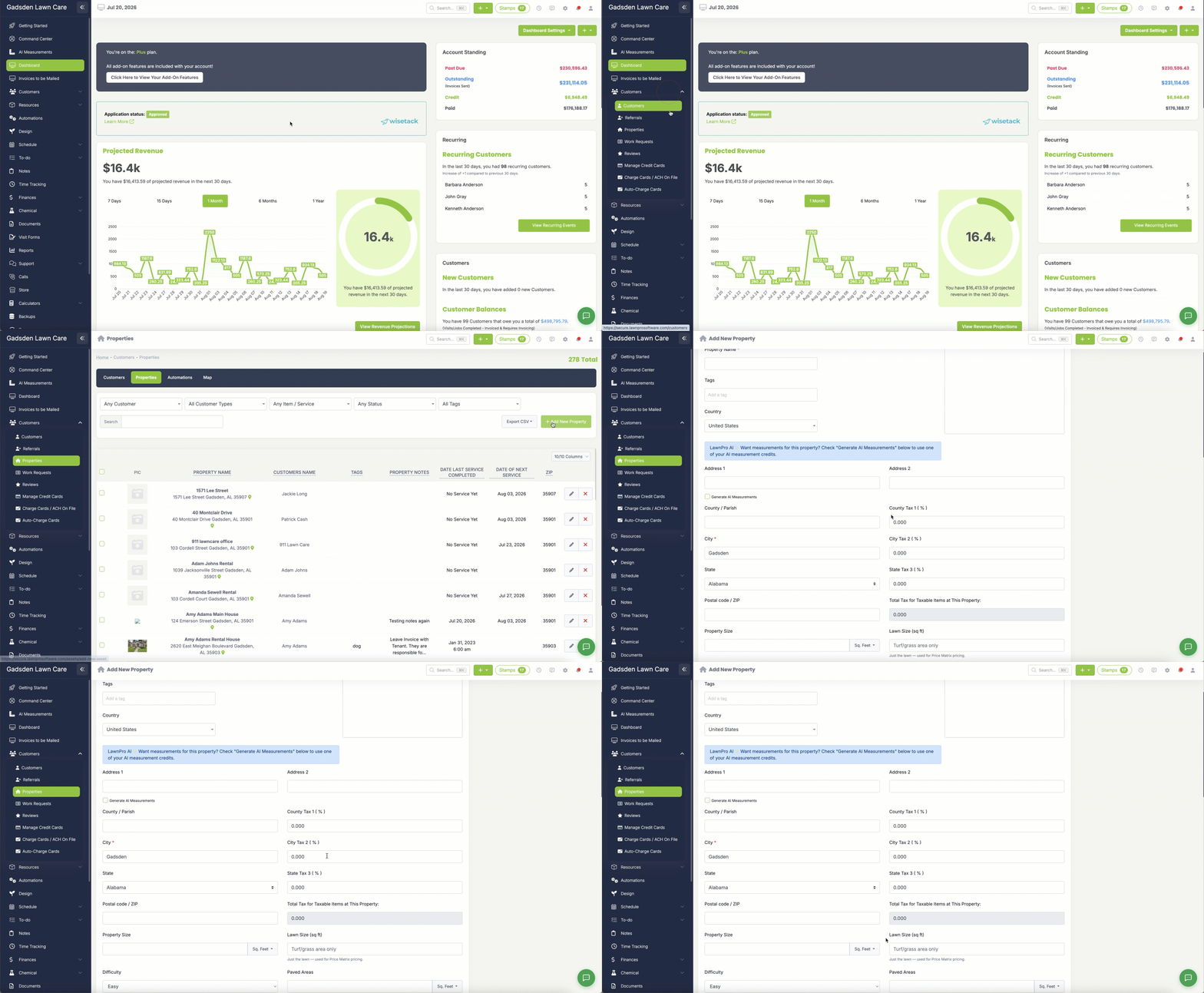
To assign a tax rate to a new property- go to the Customer tab>properties and click the green “Add New Property” button. You will see fields for city, county, and state tax rates.