Overview
Two reports show how well your estimates turn into work. Estimate Close Ratio compares the estimates you sent with the ones you won, month by month. Time to Close Estimates shows how long customers take to accept or decline.
Click Reports in the left menu. Both reports are in the Estimates Reports section. If you renamed estimates (for example to “quotes”), the report names use your word.
Estimate Close Ratio
Pick a date range at the top. It starts on January 1 of this year and runs through today.
The table has a column for each month plus a Total column. Each estimate counts in the month of its estimate date. Deleted estimates and estimates that were never sent are left out.
- Estimates Sent: every sent estimate.
- Estimates Won (Accepted or Invoiced): sent estimates that were accepted, turned into an invoice or turned into a visit.
- Estimates Declined: sent estimates that were declined and have no visit. Estimates Pending: every other sent estimate, such as ones still waiting for an answer.
- Estimates Converted to Projects: sent estimates that have at least one visit. Each estimate counts once, however many visits it created.
- Estimate Close Ratio: Estimates Won divided by Estimates Sent, shown as a decimal. 0.25 means 25%. A note under the table explains the math.
A chart above the table shows the Close Ratio for each month.
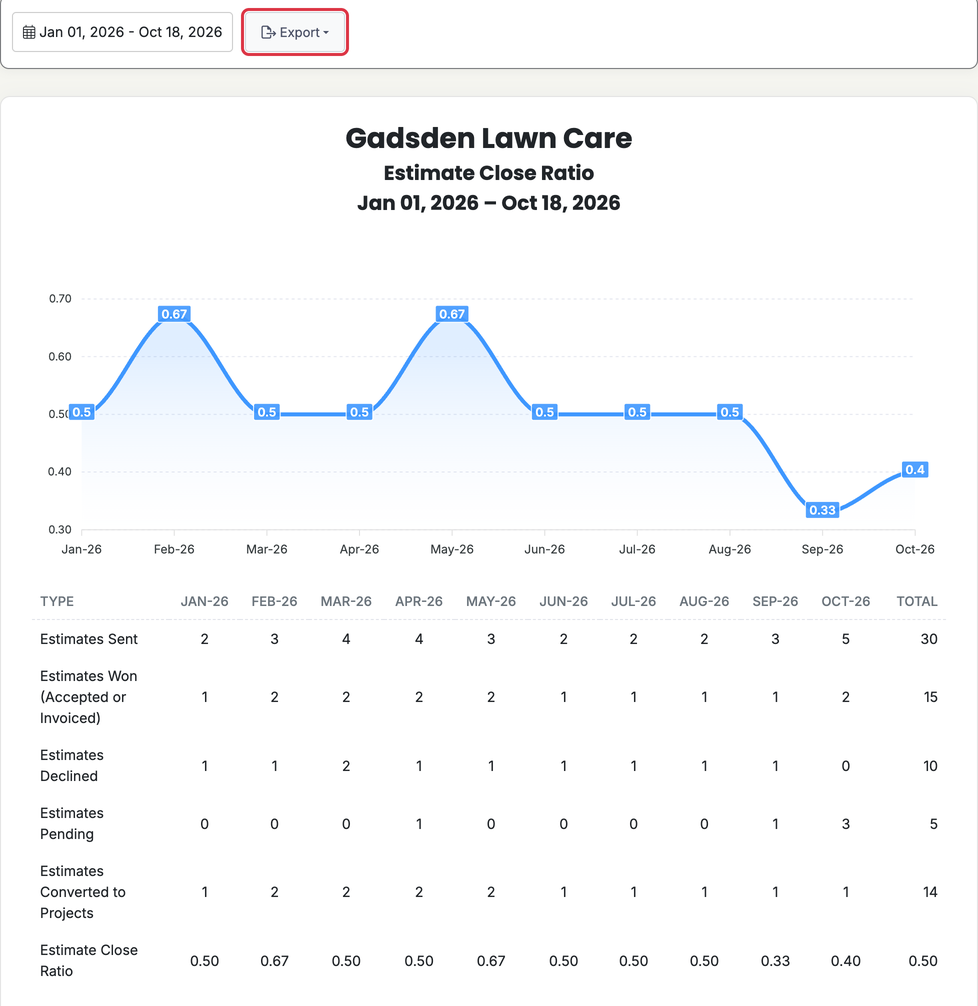
To save the table, click Export and choose Excel or CSV.
Time to Close Estimates
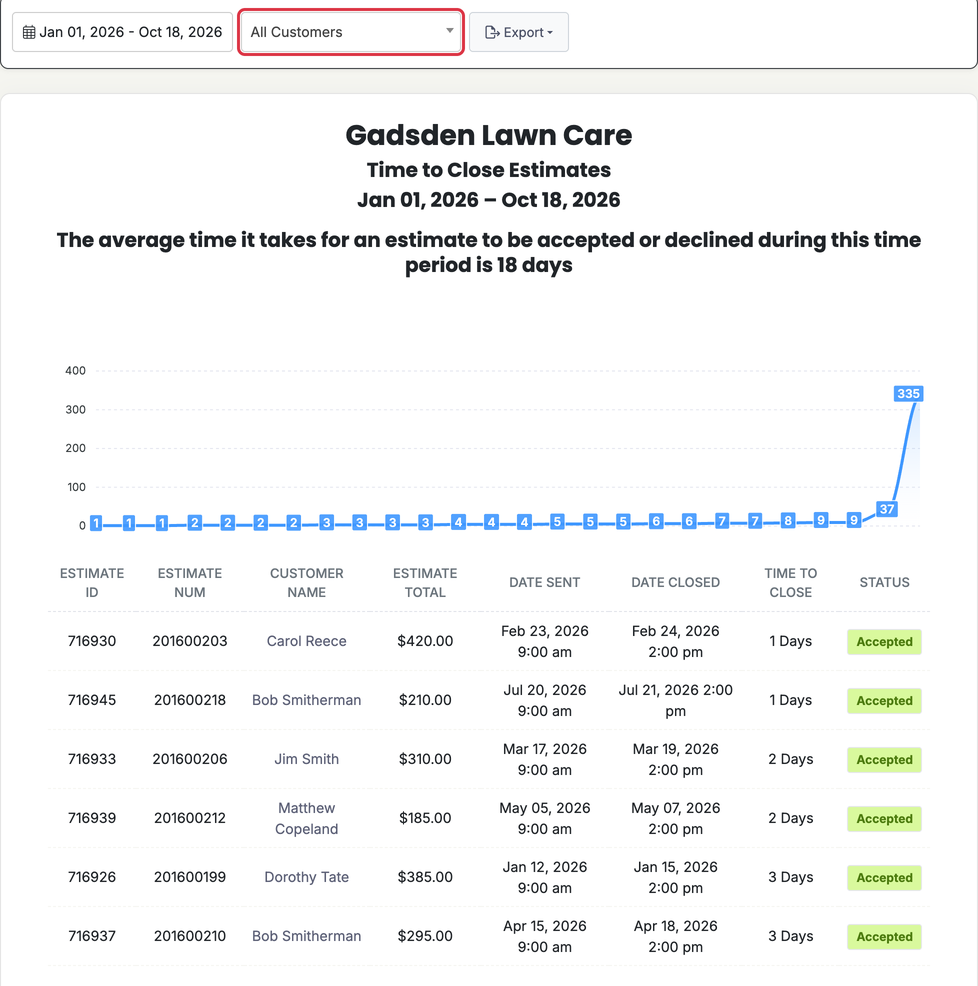
Choose a date range and a customer, or leave it on All Customers. The range uses the estimate date. The report lists sent estimates that have been accepted, declined or turned into an invoice or contract.
At the top you’ll see the average, such as “The average time it takes for an estimate to be accepted or declined during this time period is 3 days.”
Each row shows:
- Estimate ID and Estimate Num
- Customer Name (click it to open the customer)
- Estimate Total
- Date Sent: the first time the estimate was emailed, texted, mailed, dropped off or marked sent
- Date Closed: the first time it was accepted, declined or turned into an invoice or contract
- Time to Close: the time between the two, in whole days
- Status: Accepted or Declined. An estimate turned into an invoice or contract shows Accepted.
The fastest estimates are listed first. Estimates closed before they were sent are left out, and a note under the average says how many. A chart shows the days for each estimate. Use Export to download the list as Excel or CSV.
Who can see these reports
Admins can always open Reports. Other users need access to Reports turned on in their permissions.