Table of Contents
Overview
Time Budget builds a route for you based on how many hours you have available, rather than trying to fit every scheduled stop in. It’s useful when you know a crew only has so much time today and want LawnPro to pick which stops fit.
Building a Time-Budgeted Route
Go to Schedule > Routes and click “Time Budget.” This opens the Time-Budgeted Route Builder popup:
- Max Hours Today — the number of hours available to work with.
- Starting Location — where the route should begin.
- Prioritize By — how to decide which stops make the cut when everything won’t fit: “Longest job first,” “”Shortest job first,” or “Specific property.” If you choose Specific property, pick it under Pin as Stop #1. The route starts there.”
- Crew — which crew to build the route for, or “All Crews.”
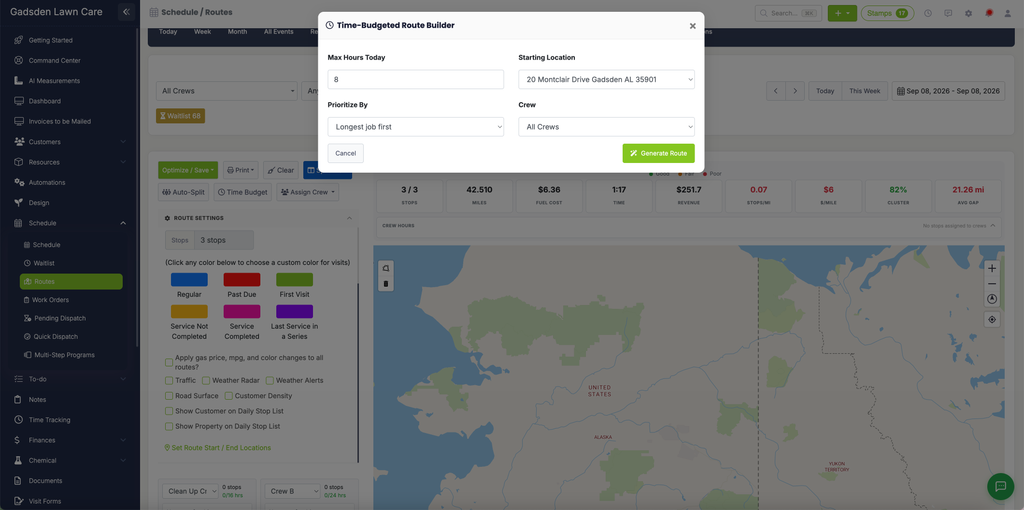
Click “Generate Route” to build the route from these settings, or “Cancel” to close without generating one.