Delete or Restore a Property
If you no longer need a property in LawnPro you can delete it directly from your properties list. If you delete a property by mistake you can also restore it.
How to Delete a Property
There are two ways to delete a property:
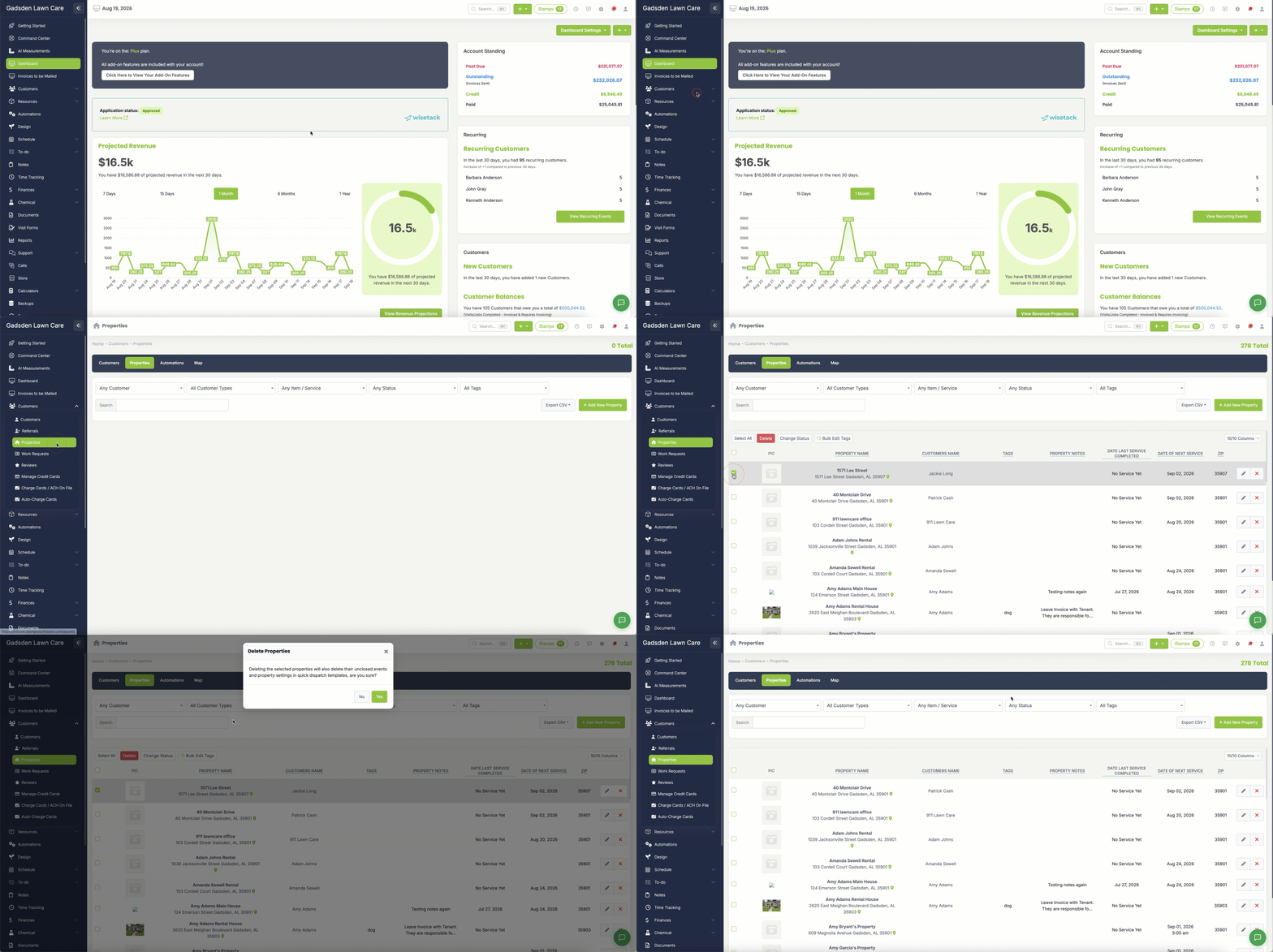
Option 1 — Delete Using the Checkbox
- Go to Customers → Properties
- Check the box next to the property you want to delete
- The action buttons will appear at the top of the list
- Click the red Delete button
- Confirm when prompted
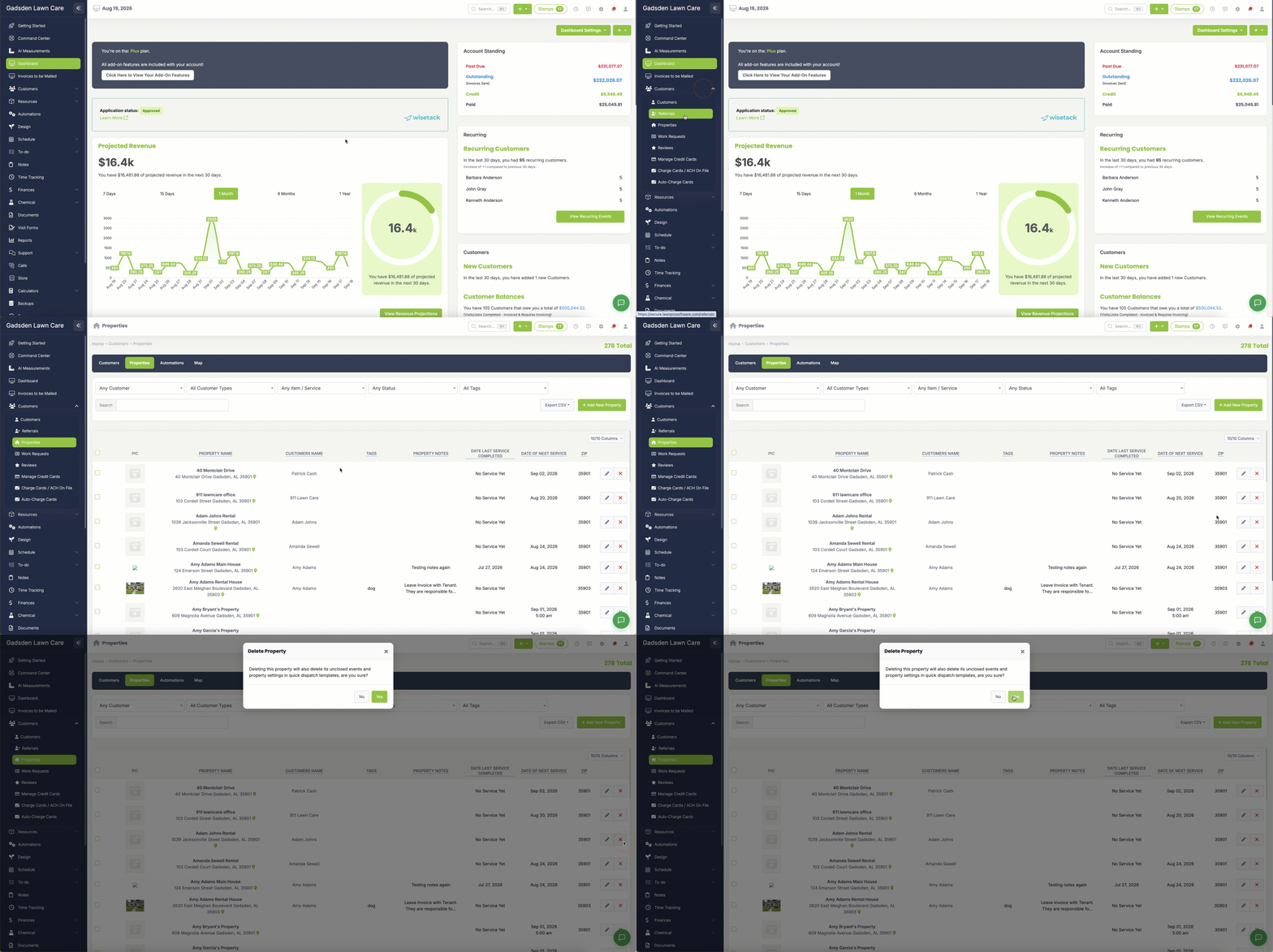
Option 2 — Delete Using the X Button
- Go to Customers → Properties
- Find the property you want to delete
- Click the red X button next to the property
- Confirm when prompted
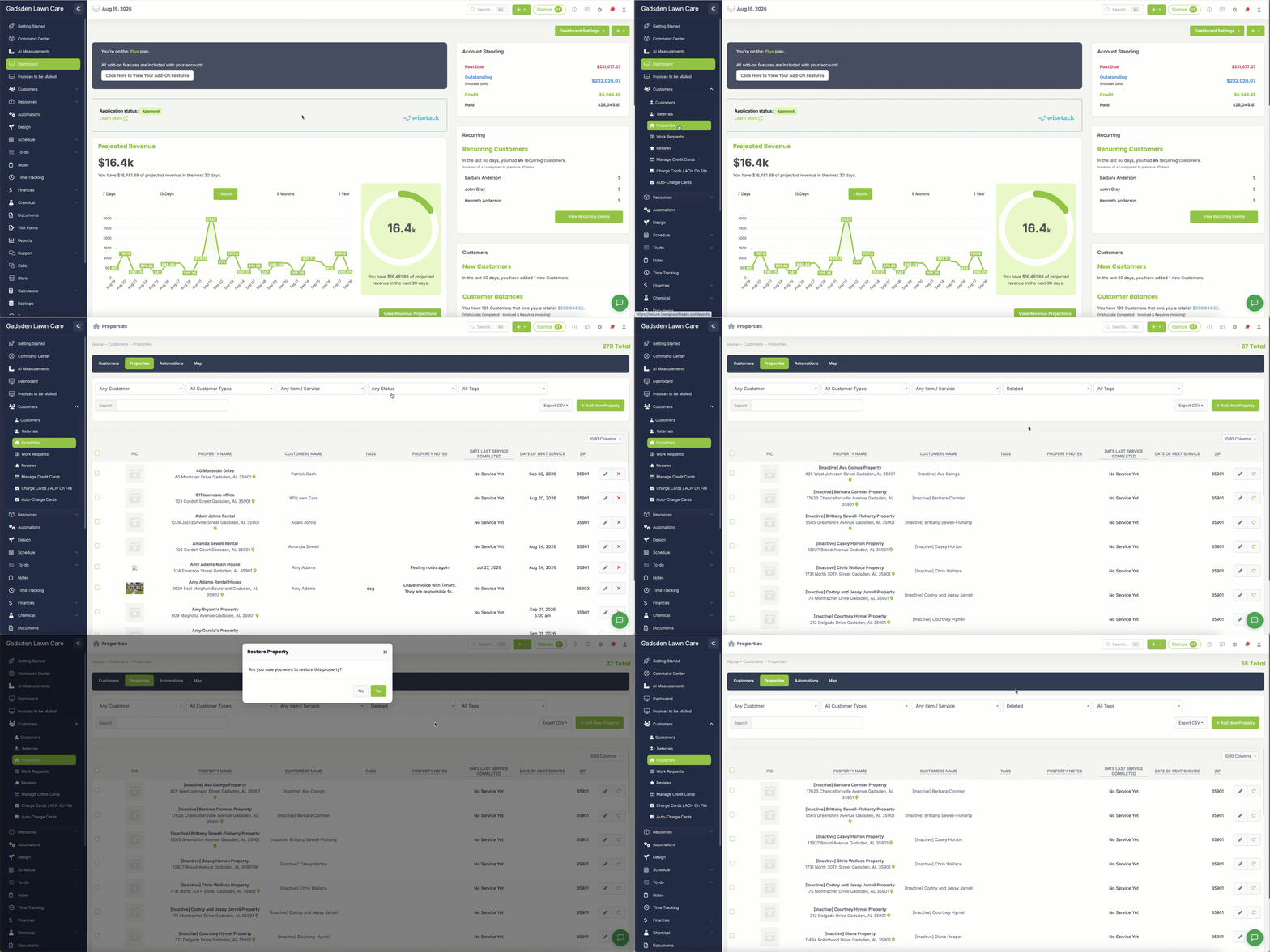
How to Restore a Deleted Property
- Go to Customers → Properties
- Change the filter to Deleted to show all deleted properties
- Find the property you want to restore
- Click the Restore button next to it
The property will be restored and will appear back in your active properties list.