Table of Contents
What it is
Good / Better / Best makes three designs of the same yard at rising scope, so you can show the customer three prices instead of one:
- Good: a clean-up and refresh. About 8 to 15 plants, no new beds or hardscape.
- Better: a full planting redesign. About 20 to 30 plants, one small tree and stone edging.
- Best: a premium, full-scope design. About 45 to 70 plants, specimen trees, boulders and a stone walkway or patio.
This is part of LawnPro Design. To open it, go to Tools and then Design in LawnPro.
Make the three levels
- In LawnPro, open Tools and click Design, then open the customer’s project.
- Under Generate a design, pick the source photo.
- Next to Make, click Good / Better / Best.
- Pick a quick style or describe what you want, the same as a normal design.
- Click Generate Good / Better / Best. It takes about 30 to 60 seconds.
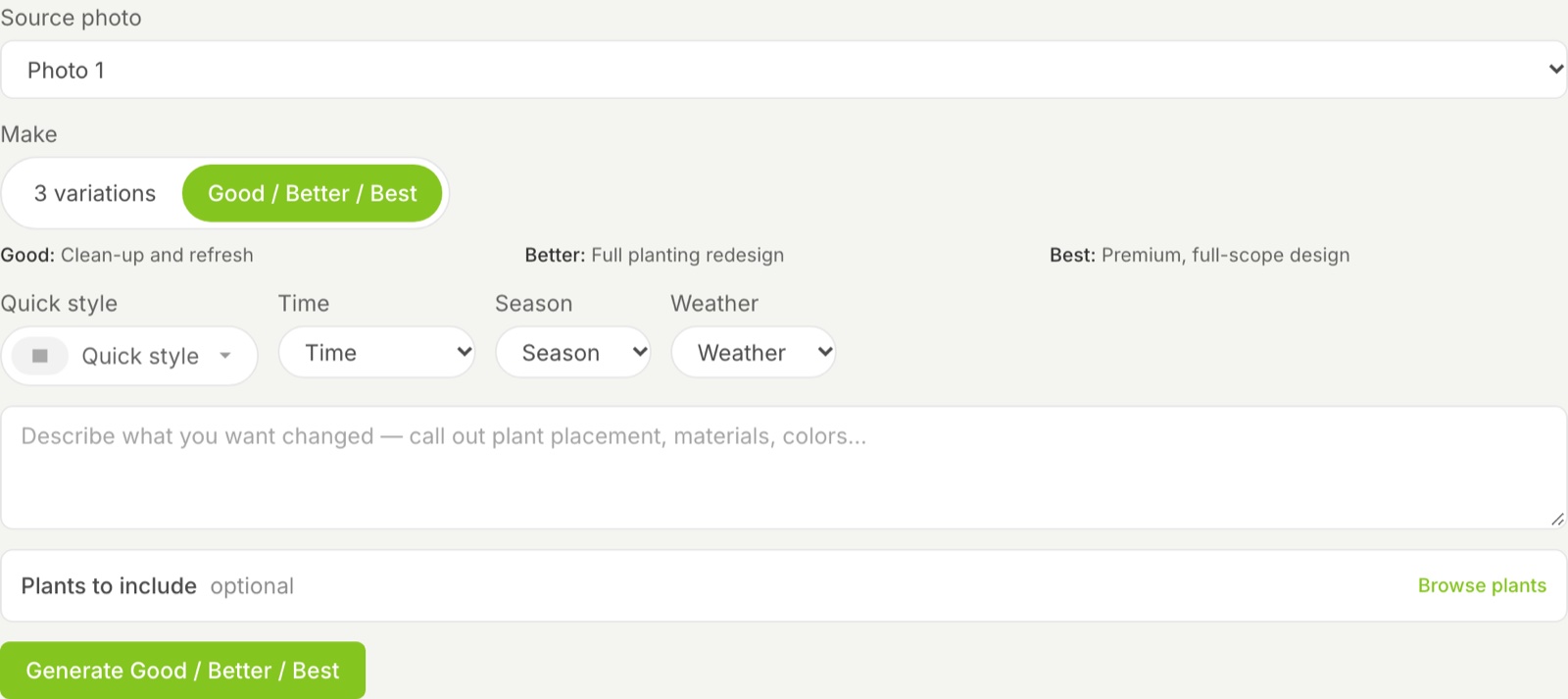
The three designs show up on their own row on the canvas, Good to Best, with a level badge on each card.
Compare the levels
- Click any of the three designs to open it.
- Click Compare levels.
- All three show side by side with how many plants and kinds of plants each one has.
- Click Set as final under the one the customer picks. Click a picture to open that design.
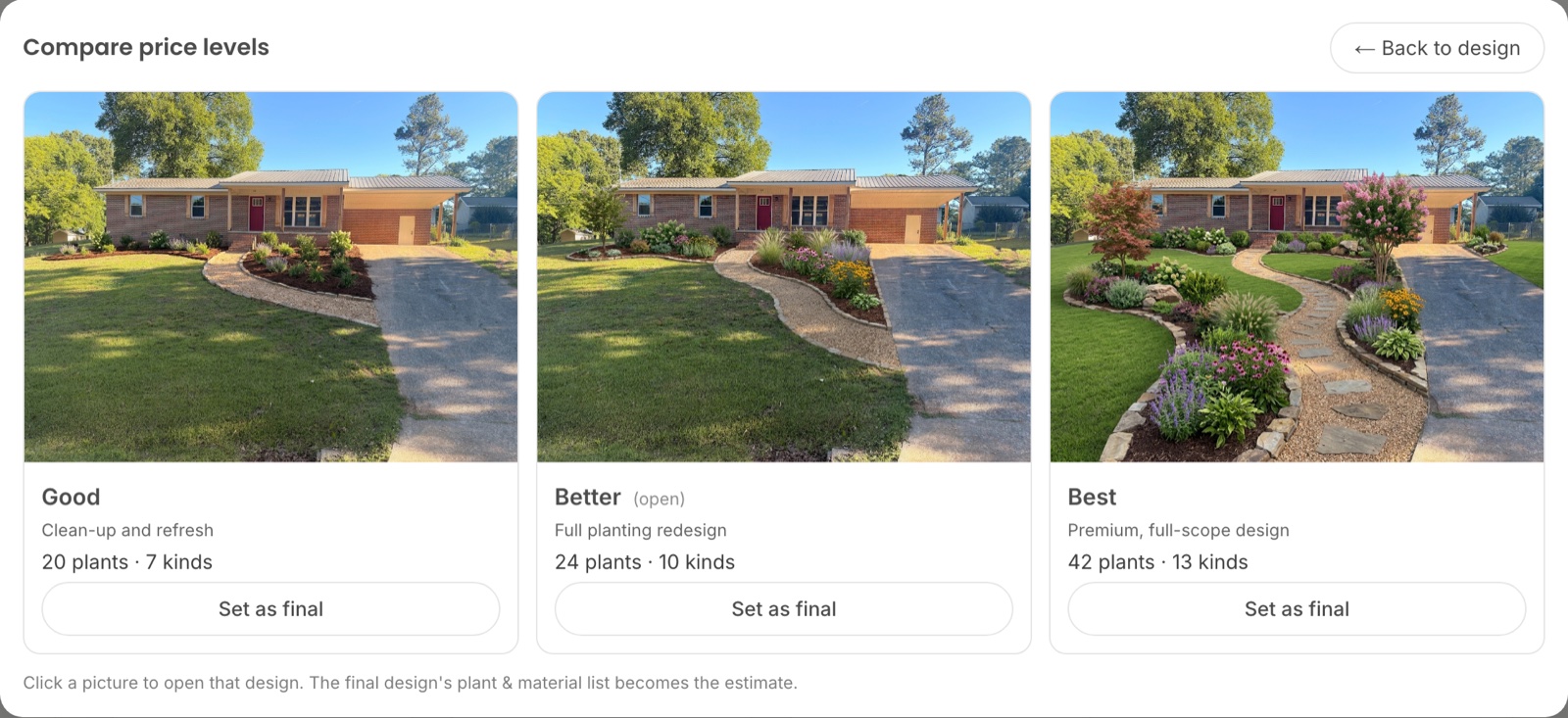
Good to know
- Plant amount and plant limit only apply to 3 variations, so they’re hidden when you pick Good / Better / Best.
- The plant & material list heading names the level of the final design, for example Better.
- Only the final design’s list goes to the estimate. LawnPro estimates don’t have options yet, so make one estimate for the level the customer picks.