Tax Exempt Customers
If you have a customer that is not subject to sales tax you can easily mark them as tax exempt in LawnPro. Once marked as tax exempt, taxes will not be applied to their invoices.
How to Mark an Existing Customer as Tax Exempt
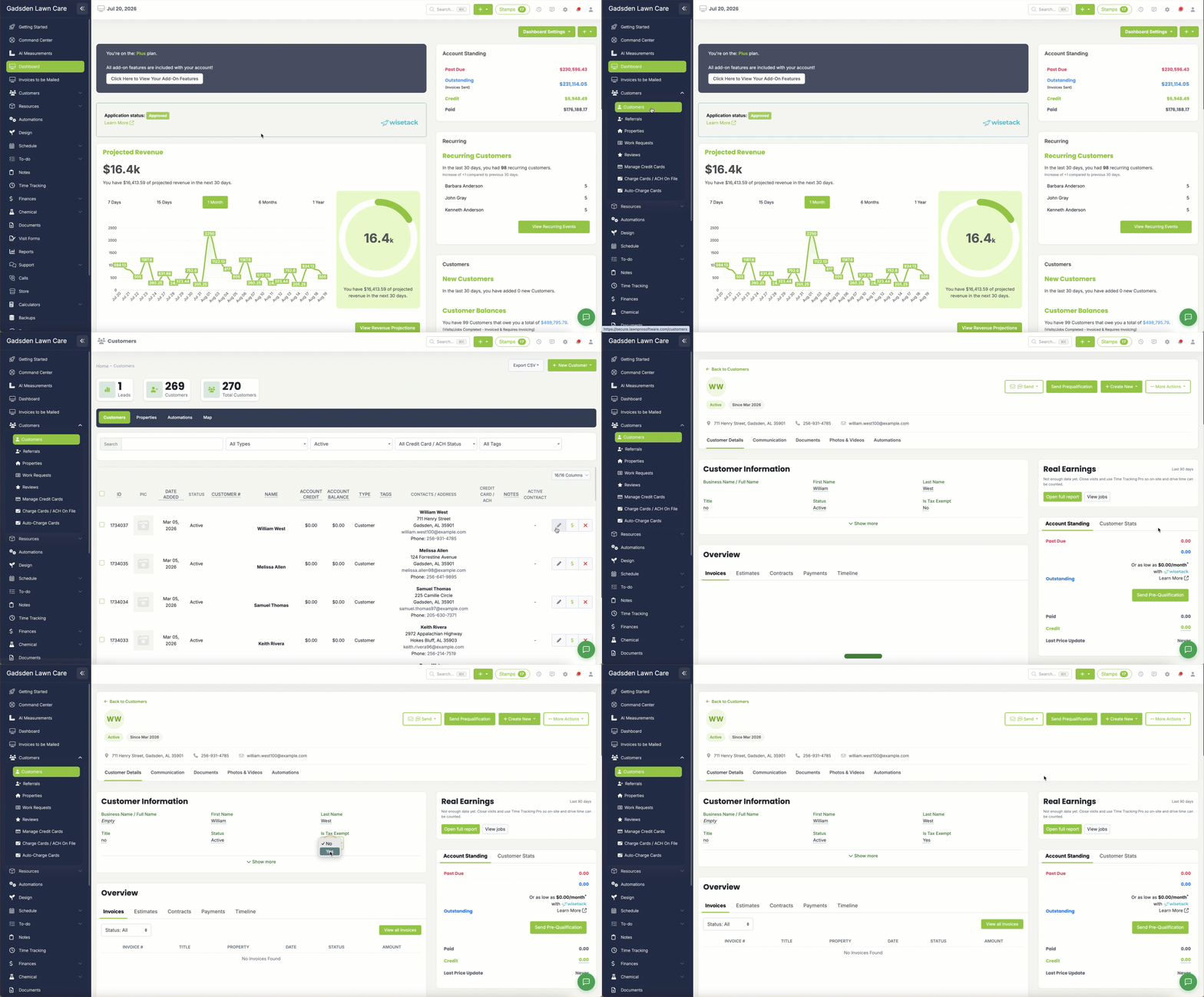
- Go to the Customer Tab → Customers
- Search for the customer you want to mark as tax exempt
- Click the pencil icon to edit their profile
- Scroll to the Customer Information section
- Find the tax exempt option and enable it
Once saved, LawnPro will automatically stop applying taxes to this customer’s invoices.
How to Mark a New Customer as Tax Exempt
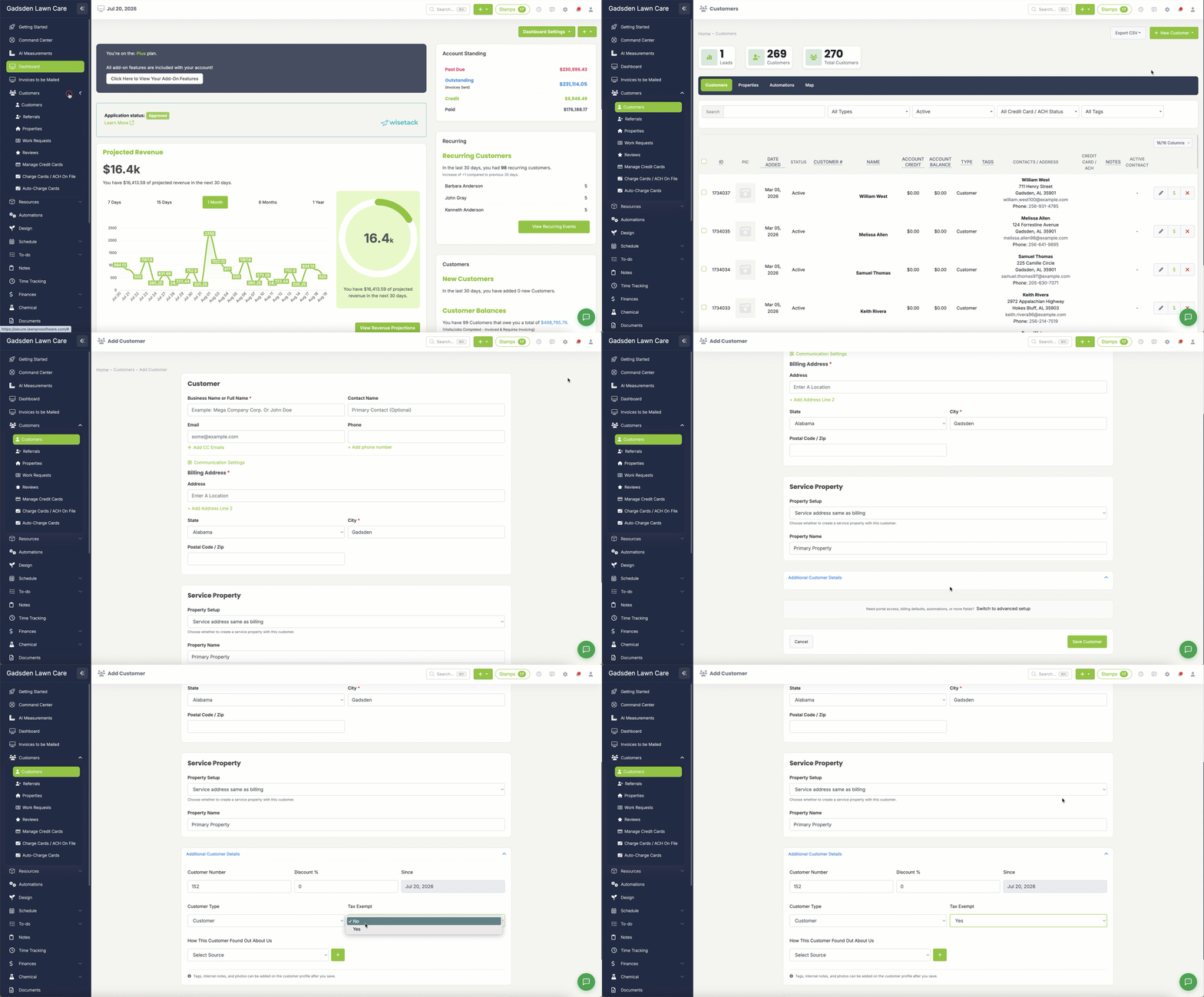
- Go to the Customer Tab → Customers
- Click the Add New Customer button
- Fill in the customer’s information
- Scroll down to the Additional Customer Details section
- Find the tax exempt option and enable it