Online Booking
Online Booking allows your customers to book appointments directly through a booking link you can share or embed on your website. Unlike the Work Request Form which captures leads, Online Booking lets customers choose a specific date and time for their appointment.
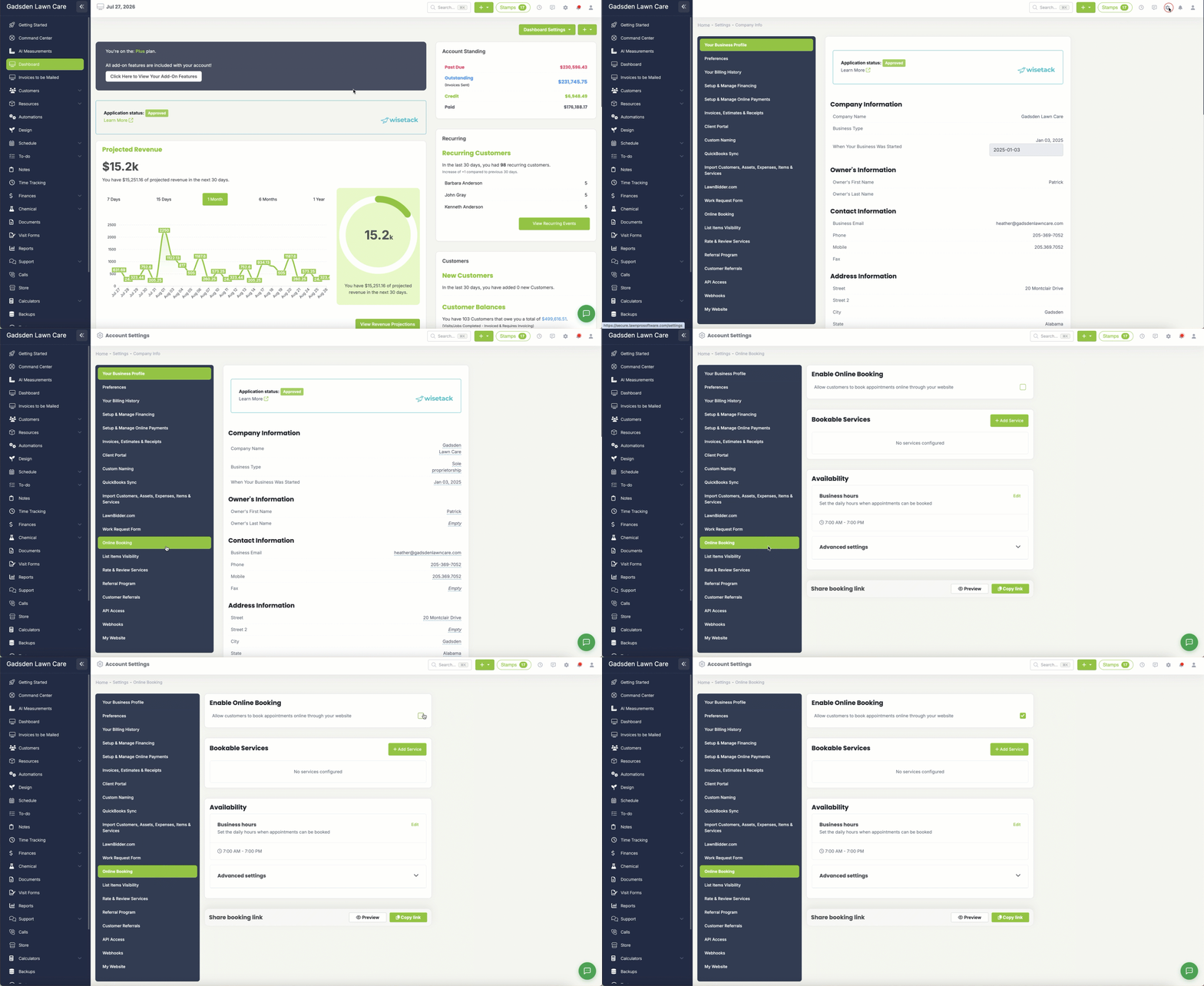
To access these settings go to the gear icon in the top right corner → Online Booking.
Enable Online Booking
Allow Customers to Book Appointments Online — Check this box to turn on Online Booking. Once enabled customers can use your booking link to schedule appointments directly.
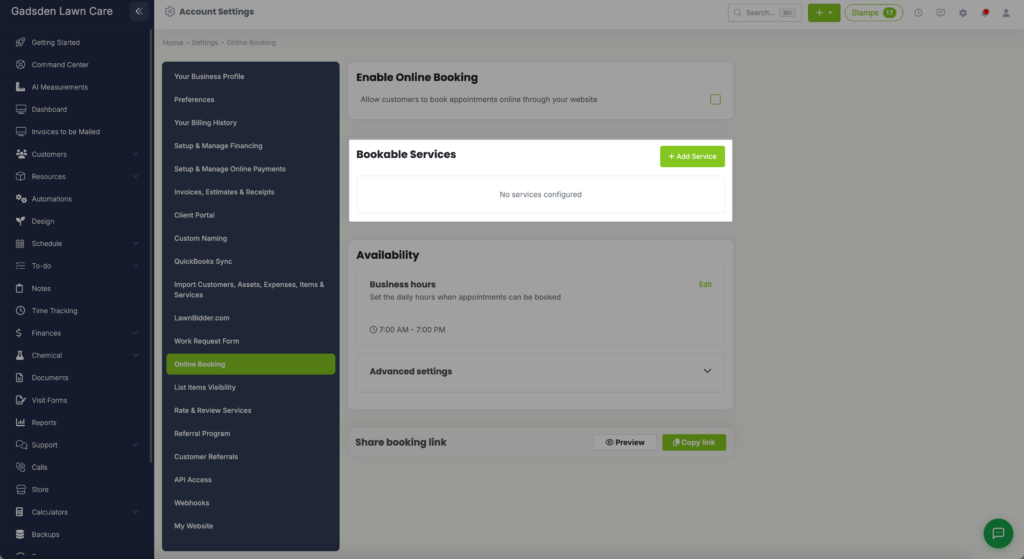
Bookable Services
Add the services you want customers to be able to book online. Click Add Service to add a new service. Only the services you add here will be available for customers to choose from when booking.
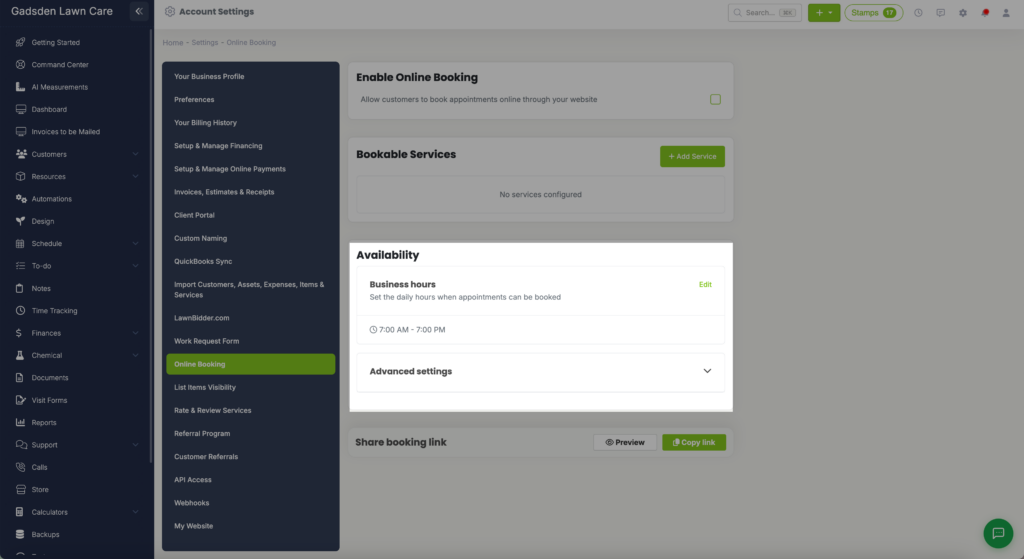
Availability
Business Hours — Set the daily hours when appointments can be booked. Click Edit to update your available hours. Customers will only be able to book appointments within the hours you set here.
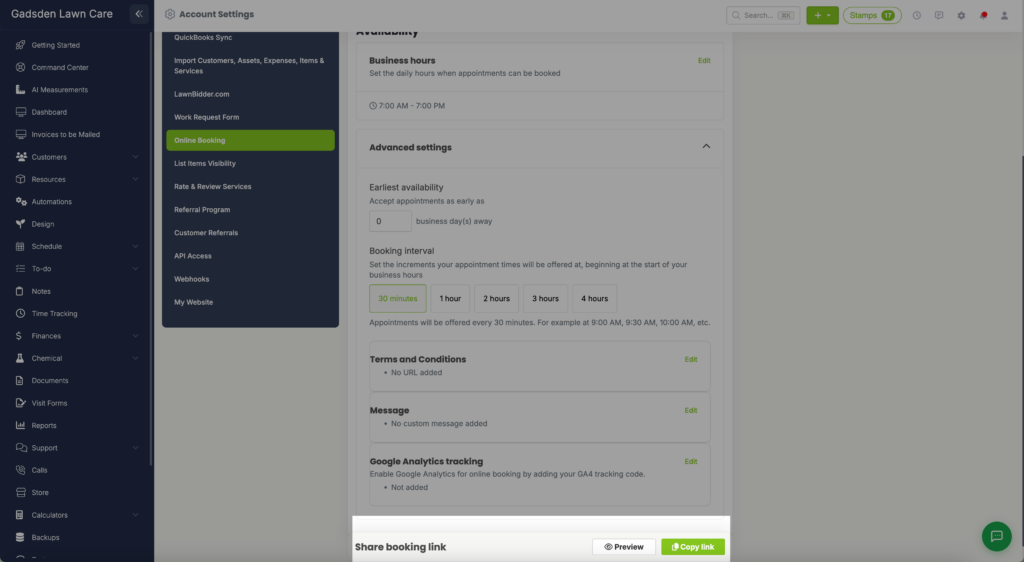
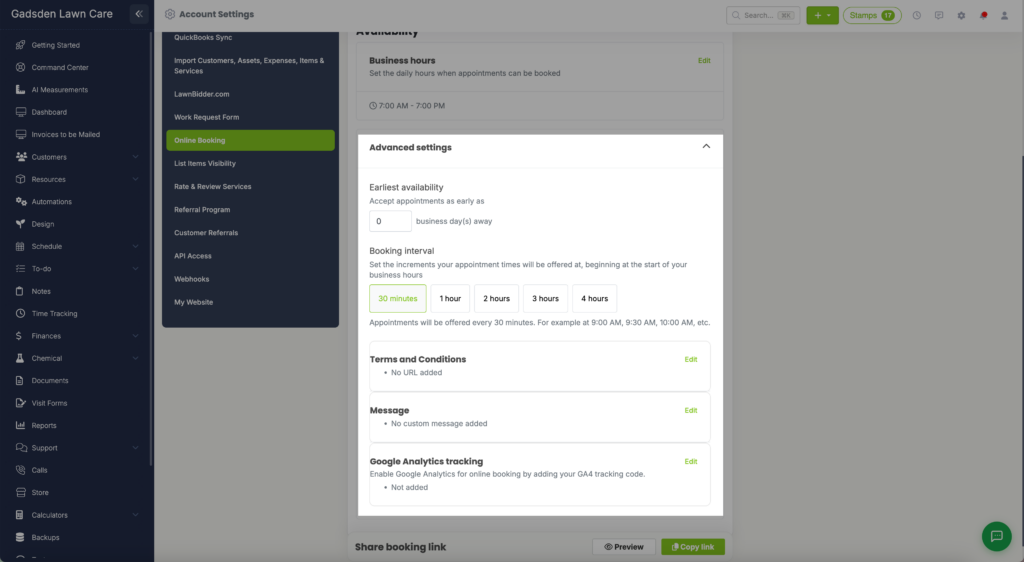
Advanced Settings
Earliest Availability — Set how many business days in advance customers can book. For example if set to 0 customers can book same day. If set to 1 they can book starting tomorrow.
Booking Interval — Set how often appointment times are offered. You can choose from 30 minutes, 1 hour, 2 hours, 3 hours, or 4 hours. For example if set to 30 minutes appointments will be offered at 9:00 AM, 9:30 AM, 10:00 AM, and so on.
Terms and Conditions — Add a link to your terms and conditions that customers must review before booking. Click Edit to add your URL.
Message — Add a custom message that customers will see on the booking page. Click Edit to add your message.
Google Analytics Tracking — Enable Google Analytics tracking for your online booking page by adding your GA4 tracking code. Click Edit to add your tracking code.
Share Booking Link
Once your Online Booking is set up you can share your booking link directly with customers or embed it on your website. Click Preview to see what your booking page looks like, or click Copy Link to copy your booking URL to share.