Customer Referrals
Customer Referrals allows you to set up a referral program for your own customers. Each customer gets a personal referral link. When someone they refer becomes a paying customer, your referring customer earns account credit — and the new customer gets a welcome discount.
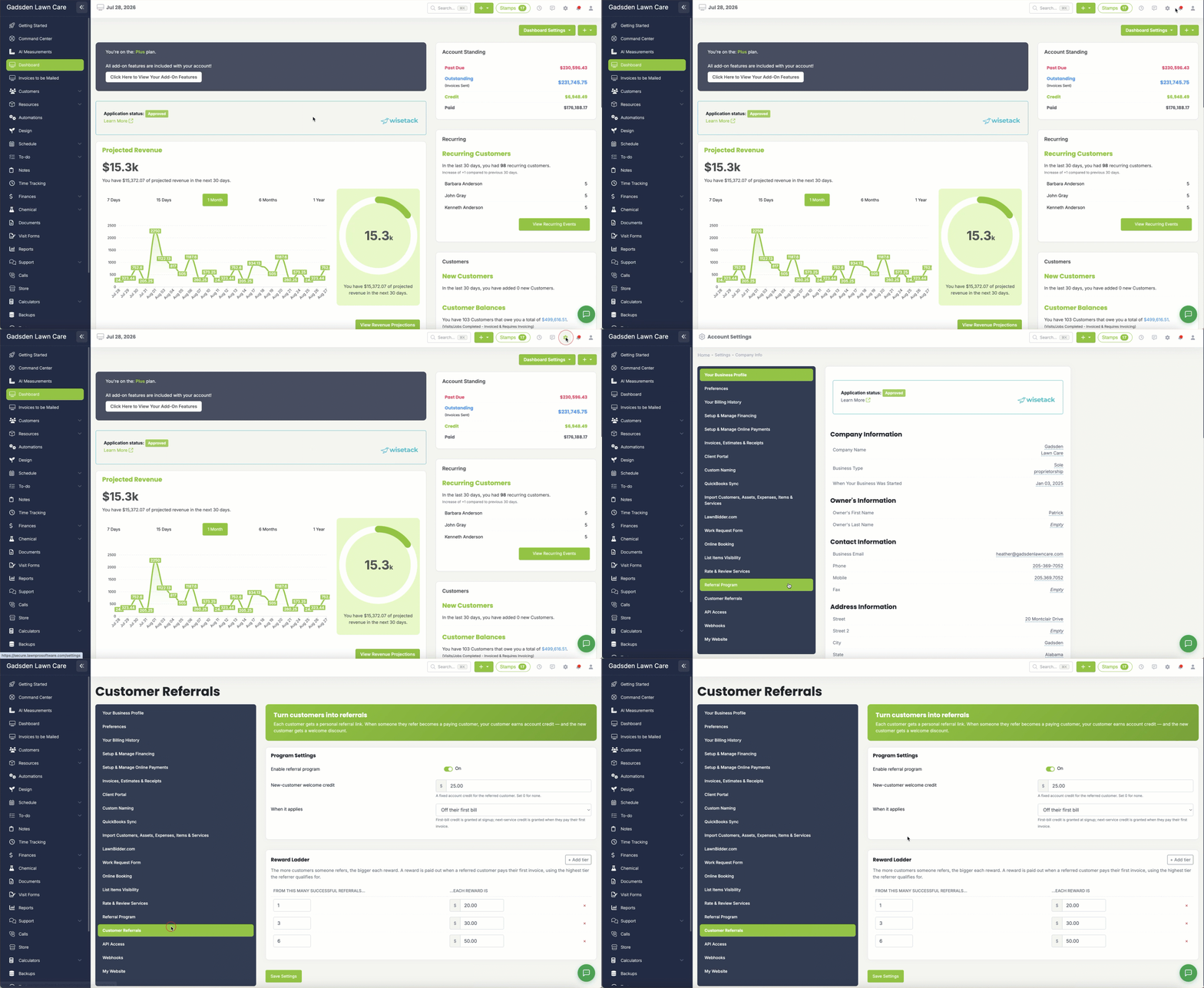
To access these settings go to the gear icon in the top right corner → Customer Referrals. Customer Referrals is included on Grow and Plus; on other plans the settings page and the Customers > Referrals page aren’t shown. See who’s referred whom under Customers > Referrals.
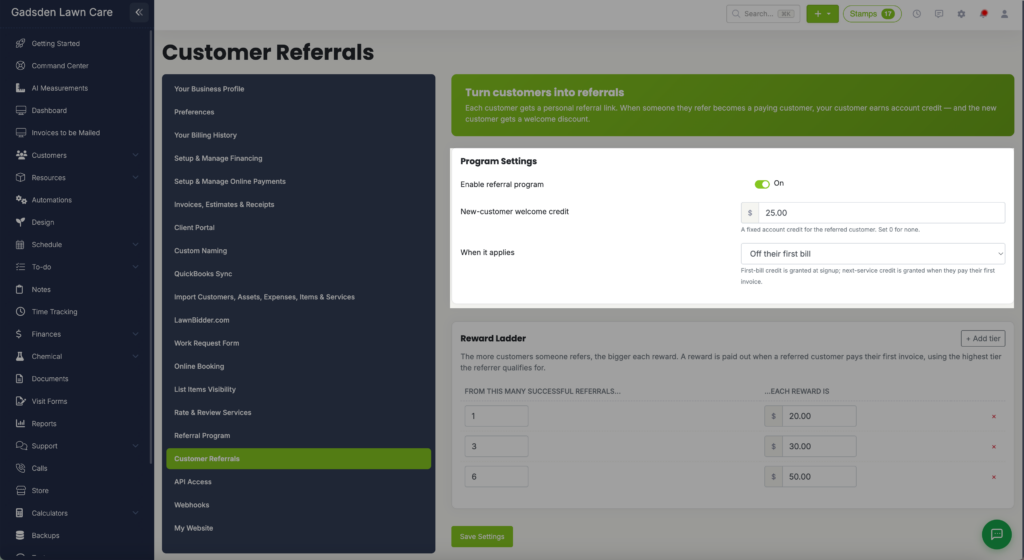
Program Settings
Enable Referral Program — Toggle this on to activate the customer referral program. When enabled your customers will have access to their personal referral link through their customer portal.
New-Customer Welcome Credit — Set the dollar amount of account credit the new referred customer receives. This is a fixed credit applied to their account. Set to 0 if you don’t want to offer a welcome credit to new customers.
When It Applies — Choose when the new customer welcome credit is applied:
- Off their first bill — The credit is granted at signup and applied to their first invoice
- Credit toward their next service — The credit is granted when they pay their first invoice
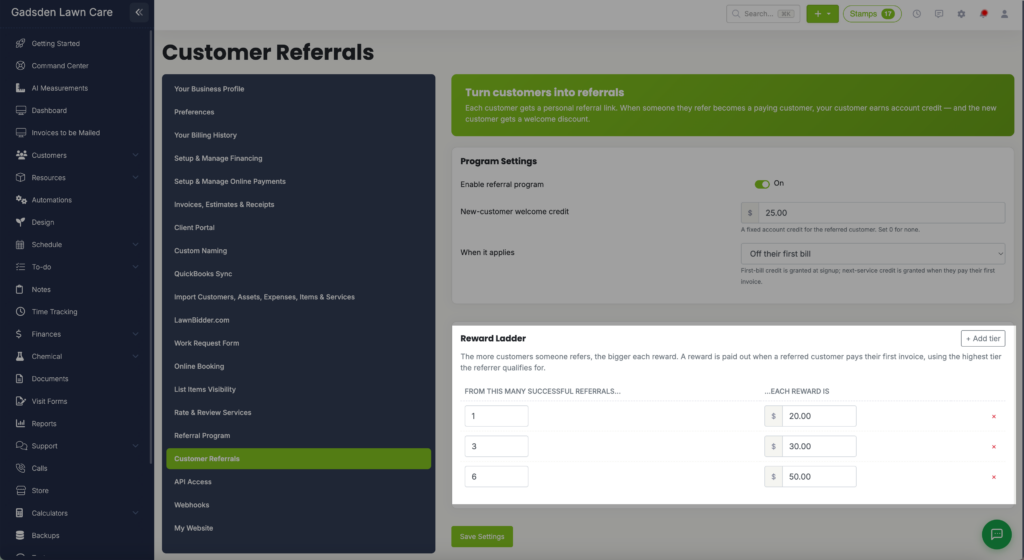
Reward Ladder
The Reward Ladder lets you set tiered rewards for your referring customers. The more customers someone refers the bigger their reward. A reward is paid out when a referred customer pays their first invoice, using the highest tier the referrer qualifies for.
To set up your reward ladder enter the number of successful referrals and the reward amount for each tier. Click + Add tier to add more tiers. For example:
- 1 successful referral → $20.00 reward
- 3 successful referrals → $30.00 reward
- 6 successful referrals → $50.00 reward
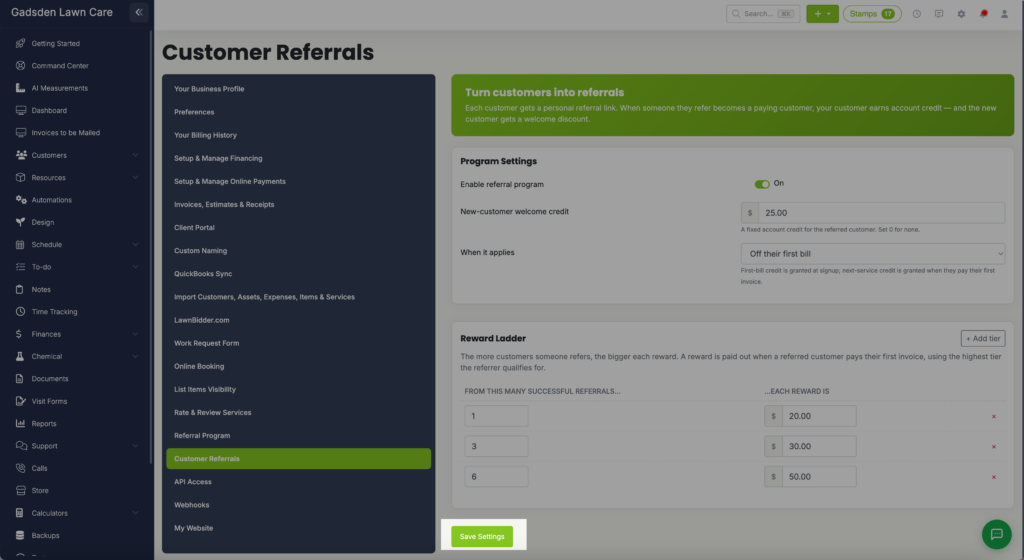
Click Save Settings when you are done.