Good reviews win you new customers. LawnPro can send each customer a review link by text or email, send happy customers on to your Google page, and stop asking once they have been asked enough. This article shows you how to set it up so you ask at the right time, without bothering anyone.
Add a review link to your messages
Put one of these merge tags in any customer email, text, automation or sequence:
- {{REVIEW_LINK}} — a one-tap link for the customer to rate you. It expires after 30 days. On a visit message, the review is tied to that visit.
- {{REVIEW_PAGE}} — the customer’s review page.
- {{GOOGLE_REVIEW_LINK}} — your Google review link, as plain text. It is blank until you link your Google Business (below).
Link your Google Business
- Go to Customers > Reviews.
- Click Link Google Business.
- Search for your business name, or paste your Google Business URL.
- Save.
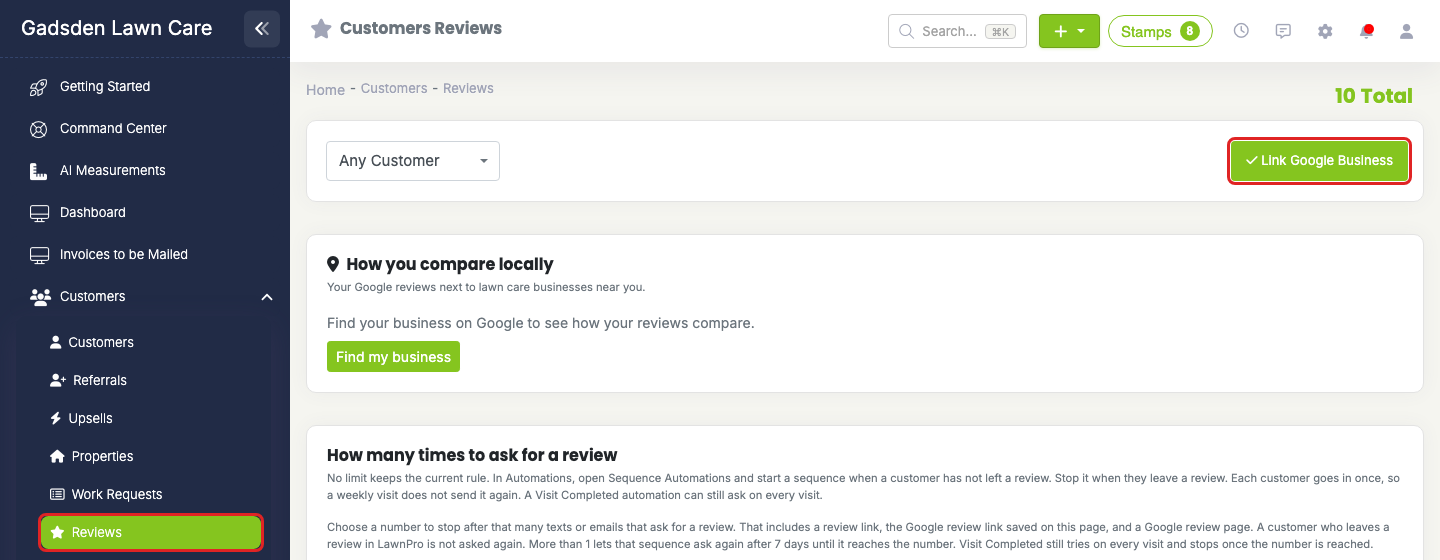
After a customer gives you 4 or 5 stars in LawnPro, they are sent on to your Google page to leave a review there too.
Ask each customer only once
An automation on Visit Completed runs after every visit. For a weekly mowing customer, that means a review ask every week. To ask each customer once instead, use a sequence:
- Go to Automations > Sequence Automations.
- Create a sequence that starts on Customer Has Not Left a Review.
- Set it to stop on Customer Left a Review (Any Rating).
- Add a text or email step with {{REVIEW_LINK}} or {{GOOGLE_REVIEW_LINK}}.
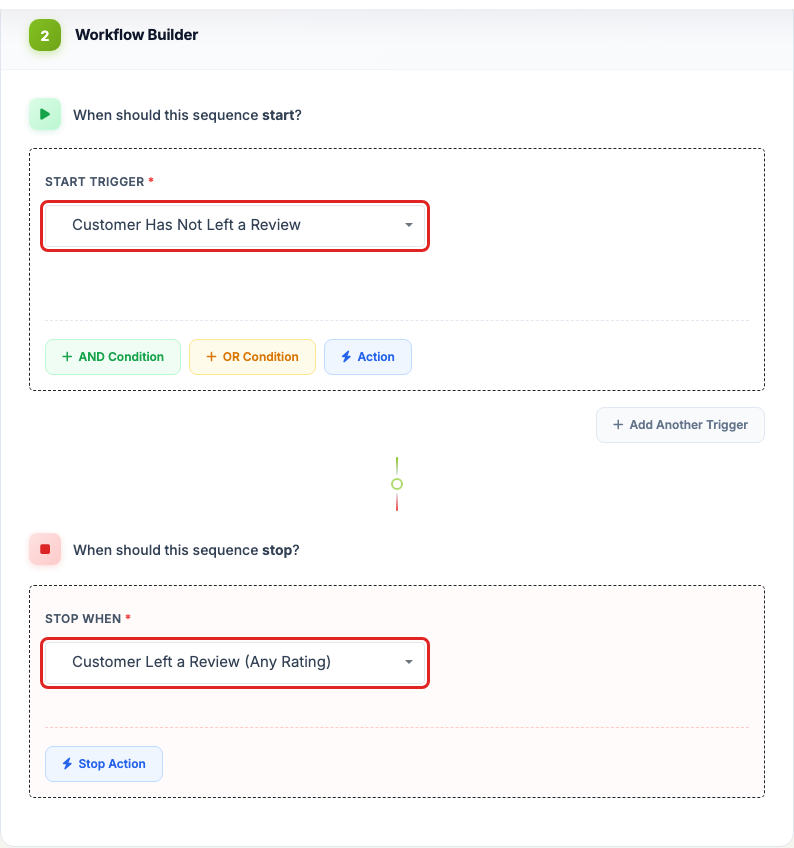
LawnPro starts the sequence for a customer whose visit was completed 7 to 30 days ago and who has not left a review. Each customer goes in once.
Choose how many times to ask
- Go to Customers > Reviews.
- Find How many times to ask for a review.
- Pick No limit, 1, 2, 3, 5 or 10.
- Click Save.

Only the owner, or someone with full Assets access, can change this.
When you pick a number:
- A text or email that asks for a review is skipped once that customer has been asked that many times.
- A customer who has already left a review in LawnPro is not asked again.
- The Customer Has Not Left a Review sequence can ask again 7 days after the last ask, until it reaches your number or the customer leaves a review. (With 1, it asks once.)
- A Visit Completed automation still tries after every visit, and stops once your number is reached.
No limit keeps things the way they were: nothing is skipped.
> What counts as a review ask? A message with {{REVIEW_LINK}}, {{REVIEW_PAGE}} or {{GOOGLE_REVIEW_LINK}}, a LawnPro review link, a Google review link (one with g.page/r/ or writereview in it), or the Google link saved on your Reviews page. Just using the word “review” does not count, and your other messages are never affected.
FAQ
Where do I see that a message was skipped? In the automation history or the sequence history, with a note that starts with Skipped:. If you send a text yourself, you see the same note on screen. Skipped messages are not tried again.
Do review texts I sent before count? No. The count starts with review asks sent after this setting was added in November 2026.
I set a number and nothing was skipped. Why? Check that the message has a review link or merge tag from the list above. A message that only says “please leave us a review” is not counted.